
How can I activate self-service wires in digital banking?
Mobile
If you're using a mobile device, follow the steps below. For computers, go to the desktop steps.
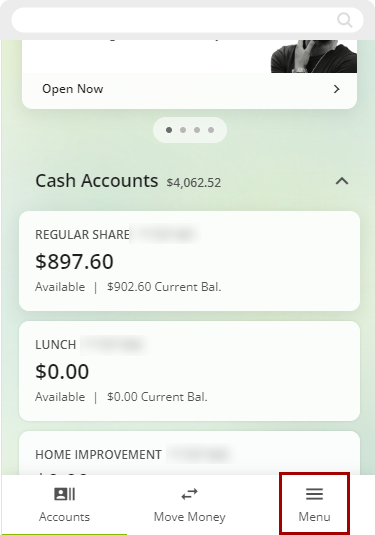
Log in to digital banking and select Menu at the bottom right of the screen.
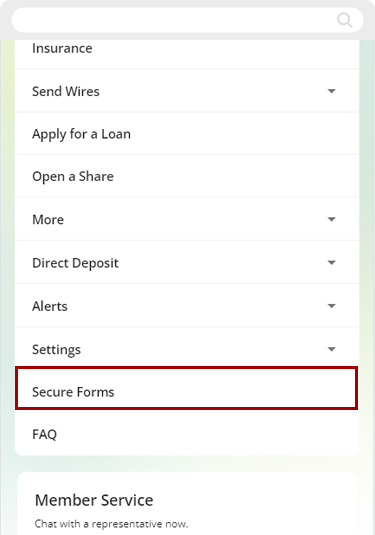
On the next screen, choose Secure Forms.
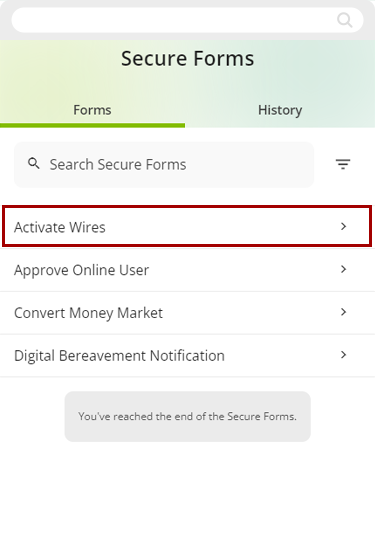
Select Activate Wires.
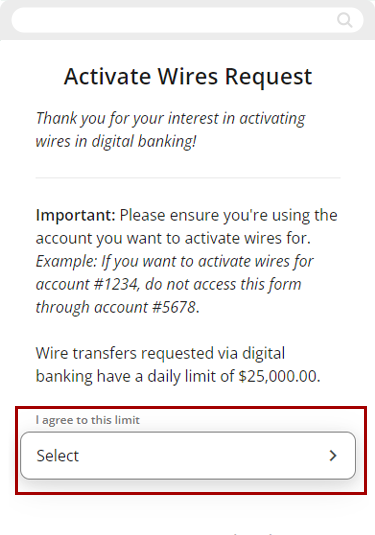
This page is the Activate Wires screen.
Select Yes to agree that you understand that wire transfers are limited to $25K per day and agree to the limit, and check the box acknowledging that you have read and agree to the Wire Terms & Conditions. You will also need to enter Today's date. Select Submit to continue.
.png)
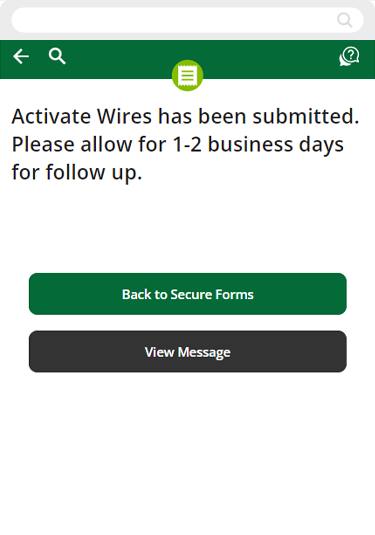
Your request to Activate Wires has been submitted. We will contact you within 1-2 business days.
Desktop
If you're using a computer, follow the steps below. For mobile devices, go to the mobile steps.
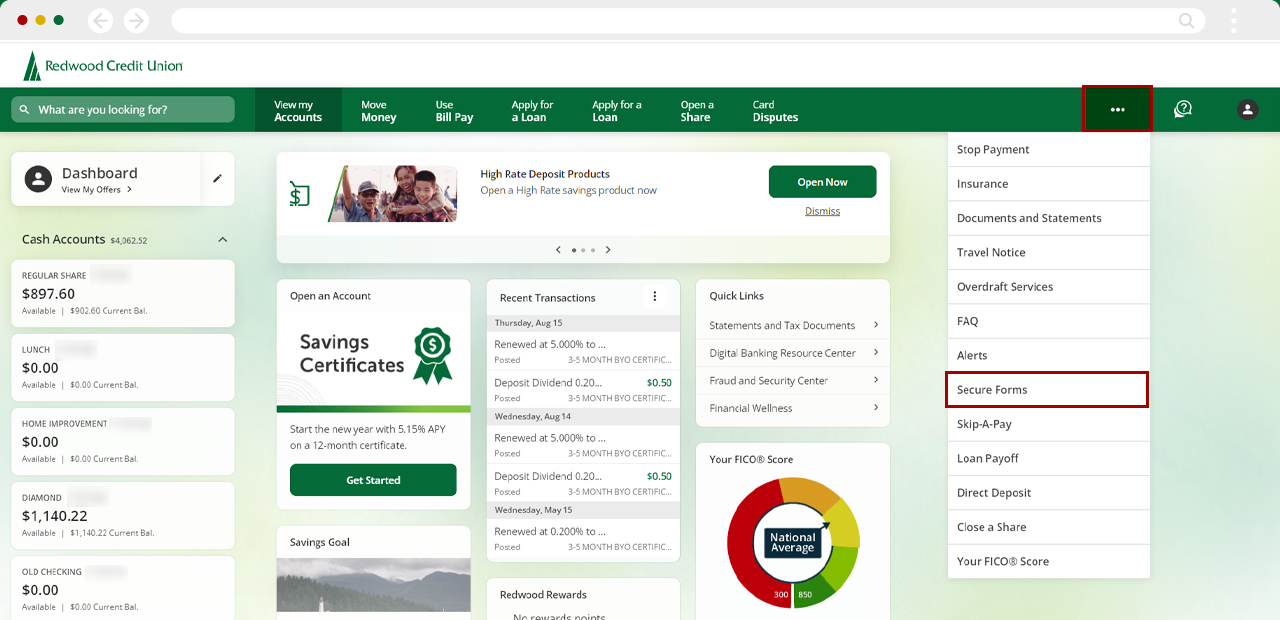
Log in to digital banking, select the three-dot menu at the top right of the screen, then choose Secure Forms.
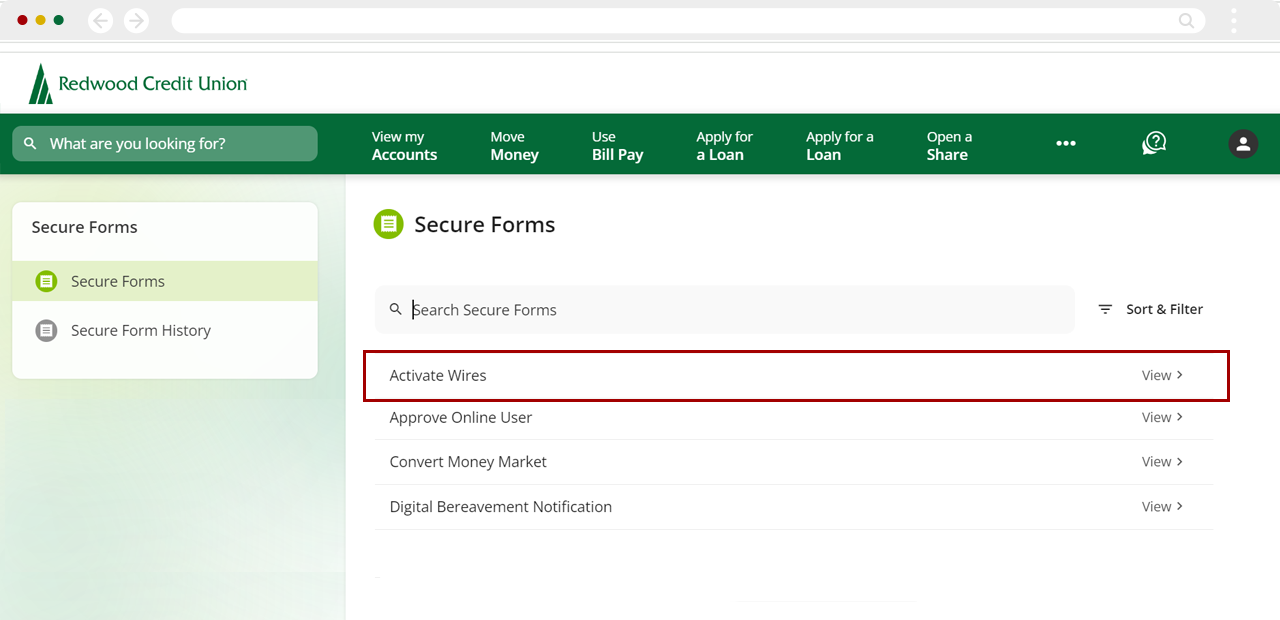
On the next page, select Activate Wires.
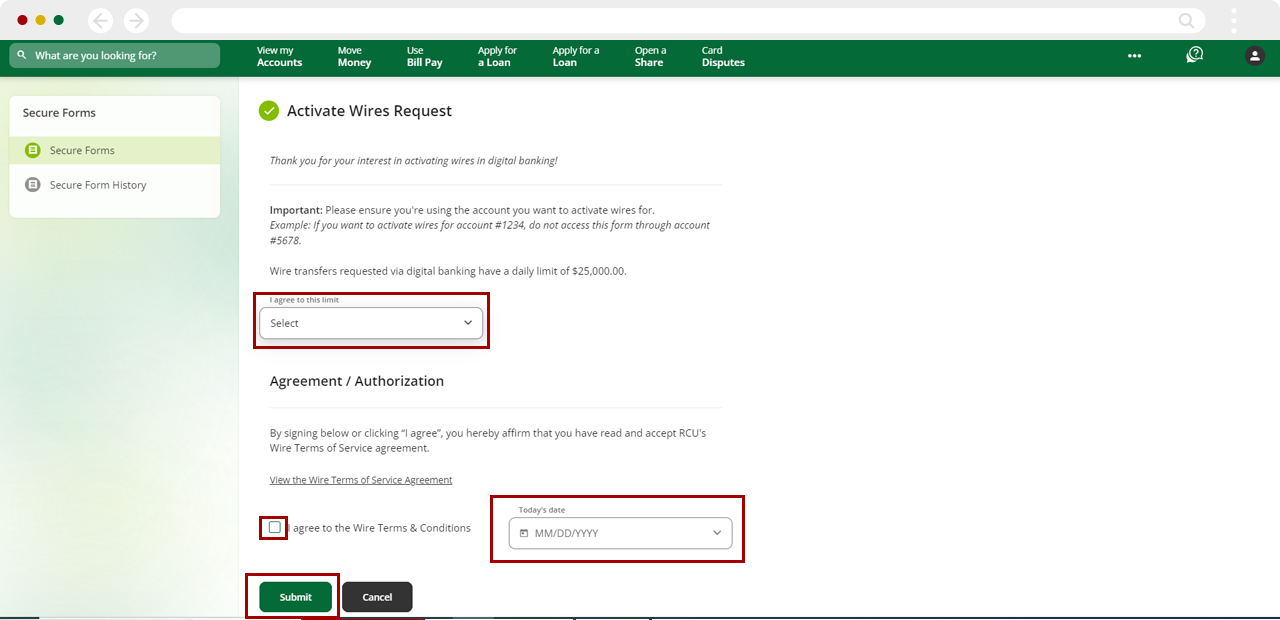
This page is the Activate Wires screen.
Select Yes to indicate that you understand that wire transfers are limited to $25K per day and agree to the limit, and check the box acknowledging that you have read and agree to the Wire Terms & Conditions. Also, you will need to enter Today's date. Select Submit to continue.
Your request to Activate Wires has now been submitted. We will contact you within 1-2 business days.
.png)