
Creating Wire Templates
The Wire Templates section allows you to create a template for recurring wire transfers.
Mobile
If you're using a mobile device, follow the steps below. For computers, go to the desktop steps
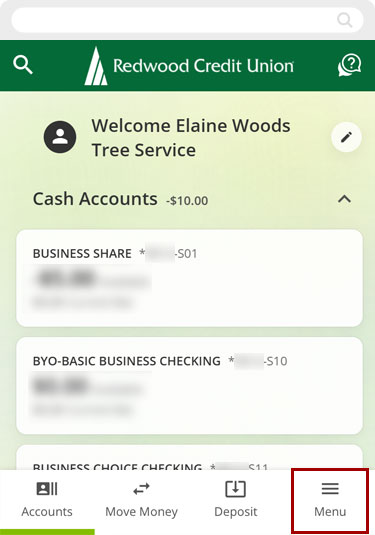
From the bottom menu, select Menu.
Select Send Wires, then Wire Templates.
.jpg)
Select Create New Wire Template. Enter all the necessary information. Tap Save when done.
Note: If this is your first time creating a wire template, Add your first template, will also create a new wire template.
.png)
.png)
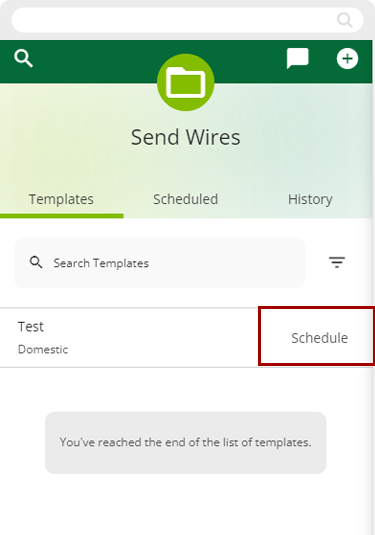
When you’re ready to submit a wire using your saved template, select Wire Templates, and then tap Schedule. Review the wire details and follow the same process as the One-Time Wire instructions.
Desktop
If you're using a computer, follow the steps below. For mobile devices, go to the mobile steps
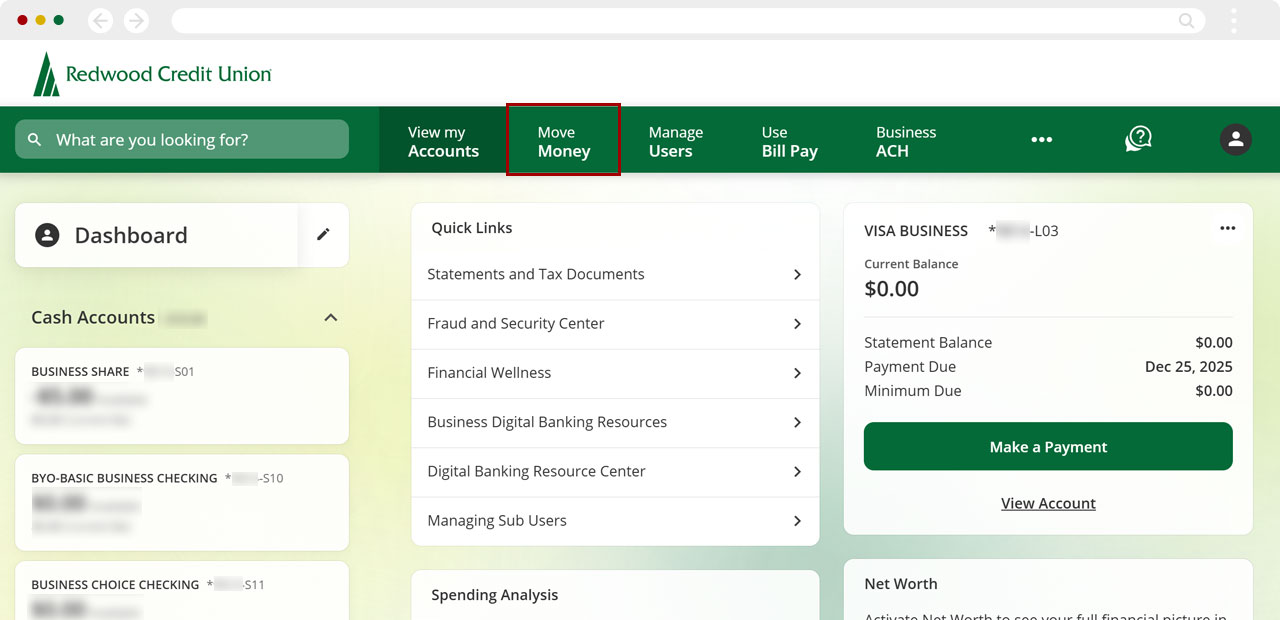
From the top menu select Move Money.
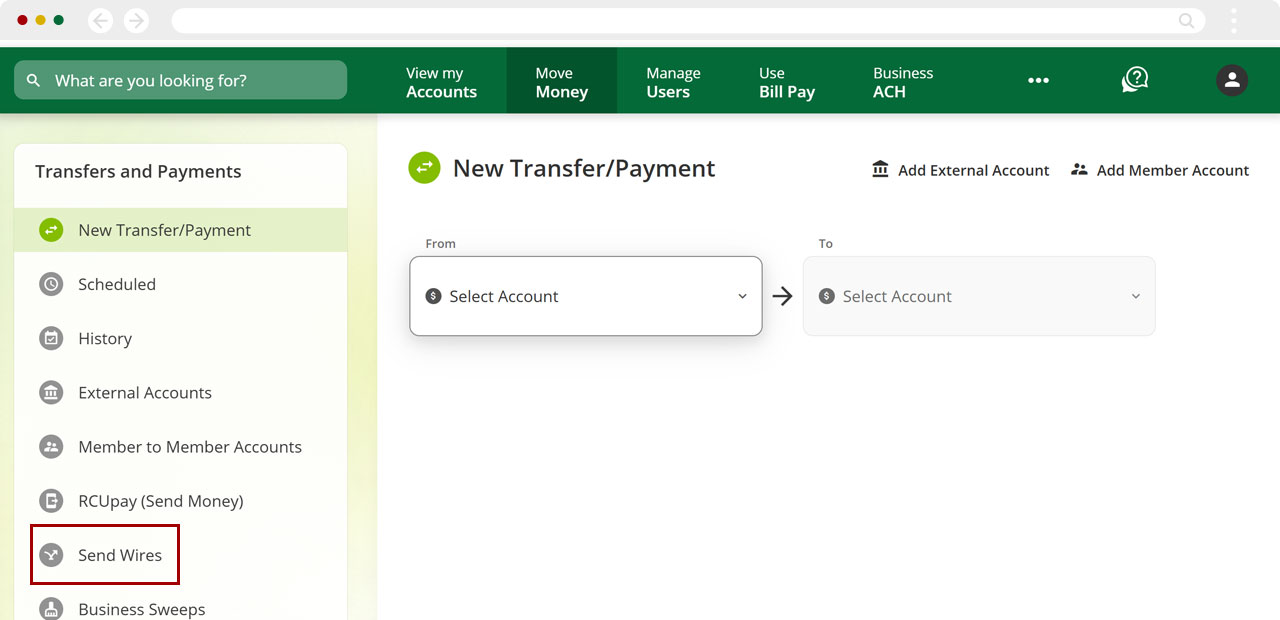
From the side menu select Send Wires.
Select Wire Templates, then select Create New Wire Template.
Note: If this is your first time creating a wire template, Add your first template, will also create a new wire template.
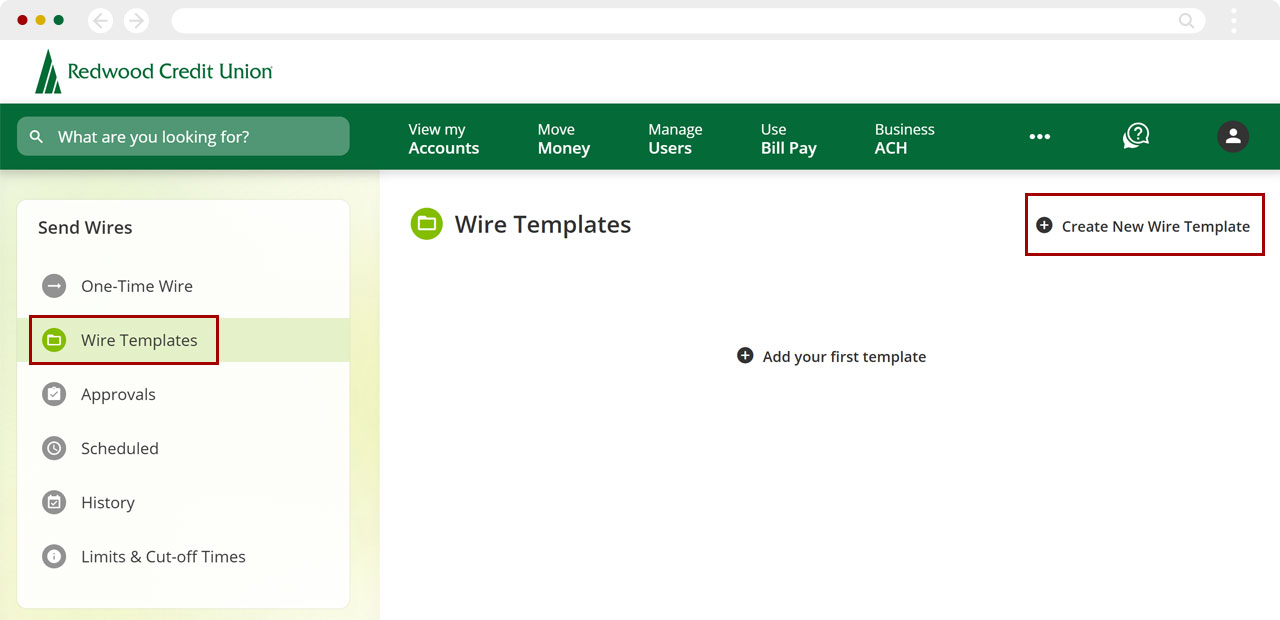
Complete the required fields, and select Save.
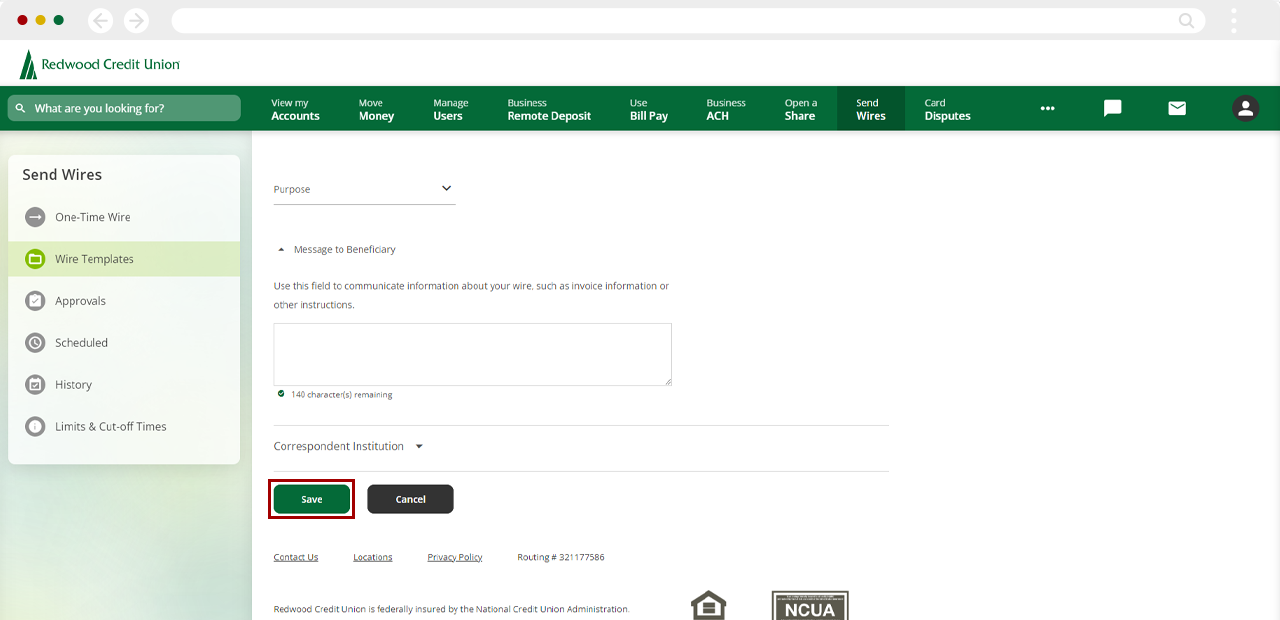
When ready to submit a wire using your saved template, select Wire Templates, and then select Schedule.
Review the wire details and follow the same process as the One-Time Wire instructions.
.png)
